Screen to text.Nothing leaves your Mac.
Press ⌘⇧2, drag over anything on screen and the text is on your clipboard. Even a tooltip that vanishes the moment you move. Recognized on-device by Apple Vision.
One-time purchase, lifetime license. No subscription, no account.
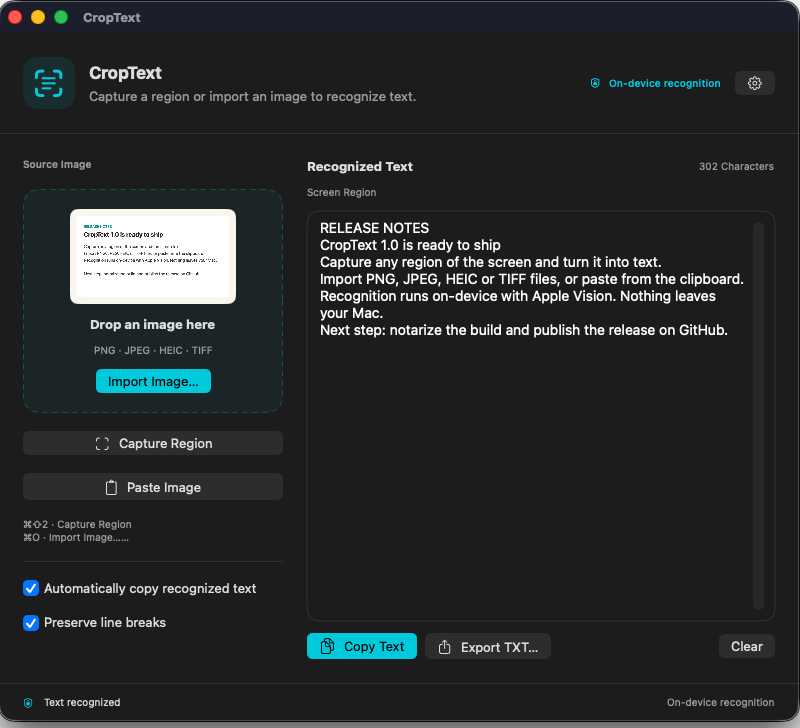
Three ways in. One text box out.
Every result lands in the same two-pane window: image on the left, editable text on the right. Copy it, export as .txt, or clear the session.
Capture a region
Global hotkey, works while the window is closed. The screen is frozen first, then you drag over the still. Esc or right-click to cancel. CropText's own windows are excluded from the shot.
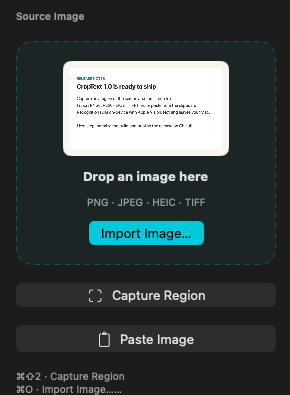
Import images
Drag and drop, file picker, or several files at once. PNG, JPEG, HEIC and TIFF.
Paste from the clipboard
Copied a screenshot? Paste it and recognition starts at once, language detected automatically.

Captures what other tools lose.
⌘⇧2 takes a still of every display before the selection overlay appears, and you drag over that still. Same model as macOS ⌘⇧4. Whatever was on screen the moment you pressed the hotkey stays put.
Tooltips survive
Hover states, open menus, Dock labels, transient popovers. Most screen-OCR tools select over the live screen, so the moment their overlay takes focus the tooltip you wanted is already gone. CropText reads it anyway.
Drag from the very top
macOS reserves the topmost pixel row for the menu bar, so a drag pushed against that edge never reaches an ordinary overlay. CropText reads the pointer through event monitors instead: a selection can start, end and snap on any edge, including the row other overlay tools lose.
Every display, one selection
All screens are covered while you select, not just the one under the pointer. Right-click or Esc cancels.
Cropped from the still
There is no second screen capture after the overlay closes. The OCR input matches your selection pixel for pixel and cannot be polluted by windows moving underneath.
Nothing jumps
The Dock, the menu bar and the main window stay exactly where they are during the transition. Verified frame by frame on a 100 fps screen recording.
Nothing behind is live
The overlay is an opaque still plus dimming. Nothing behind it can be hovered, clicked or scrolled: not windows, not the Dock, not the menu bar. What you see is what gets read.
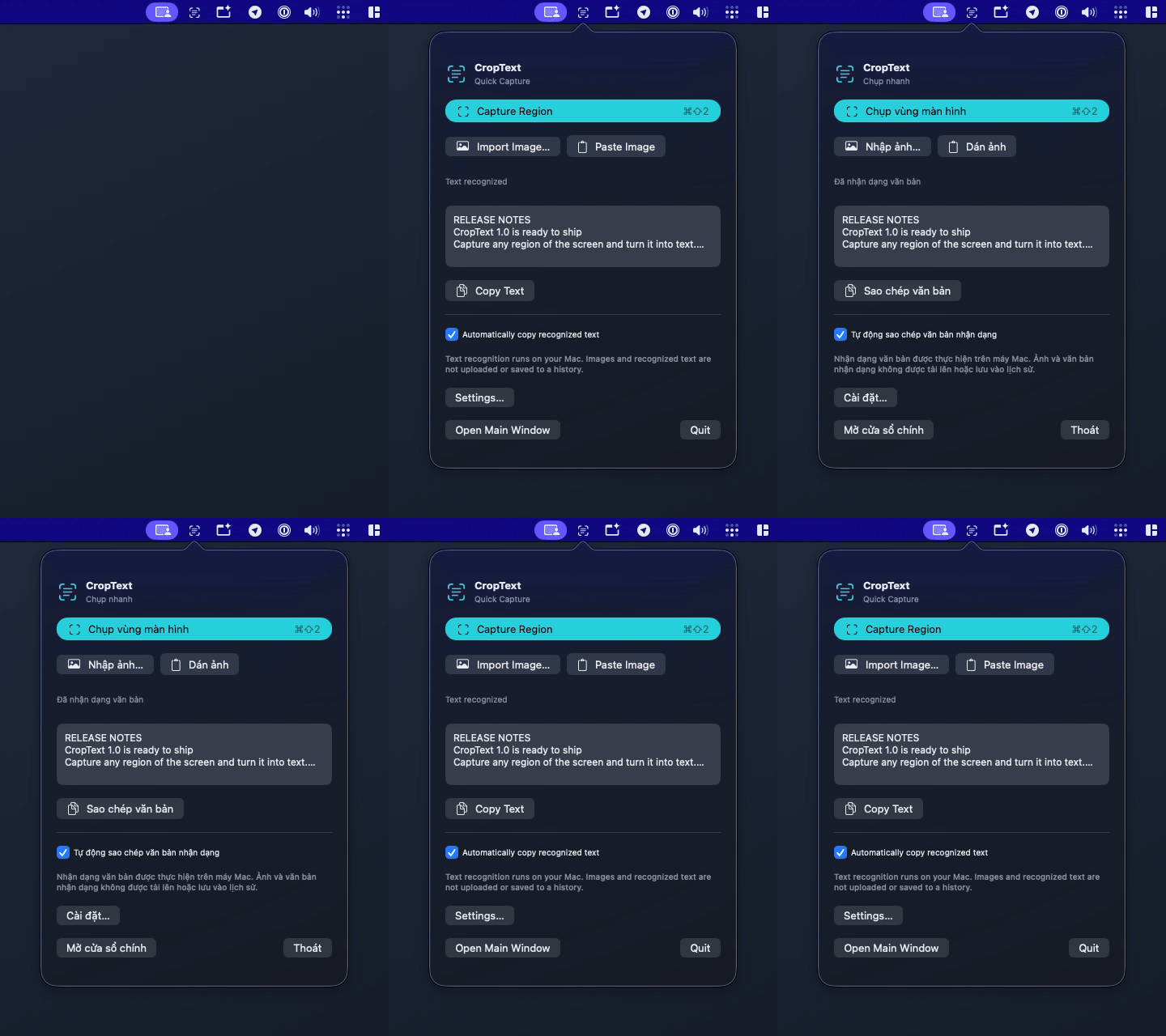
Lives in the menu bar.
Close the window and CropText keeps running as a menu bar item. The hotkey stays armed, and the popover covers the everyday actions.
- Capture, import, paste and your last result, one click away.
- English and Tiếng Việt, switchable at runtime. No restart.
- Auto-copy puts the text on your clipboard the moment recognition finishes.
No network. No history. No account.
Recognition runs on your Mac with Apple Vision. There is no network client, no analytics and no crash reporting in the app. Read the source if you want to check.
Images and text live in RAM for the current session. Clear or Quit discards that session; clipboard copies and exported files remain under your control.
interfaceLanguage autoCopy preserveLines autoClearSeconds That is the whole list.
Cancel or start a new task and the previous one is invalidated. An old result can never overwrite your clipboard.
Why not just use Live Text?
Live Text is great inside Photos and Preview. CropText works over anything on screen: a paused video, a terminal, a remote desktop, a PDF that will not let you select.
| CropText | Live Text | Cloud OCR apps | |
|---|---|---|---|
| Global hotkey, any region of the screen | Varies | ||
| Works over video, terminals, remote desktops | |||
| Tooltips, menus and hover states survive the capture | Rarely | ||
| Selection can start on the top edge of the screen | |||
| Editable text pane and .txt export | |||
| Runs offline, nothing uploaded | |||
| Open source, GPL-3.0 licensed | |||
| Price | $5.99 once, lifetime | Free | Monthly subscription |
Keyboard first.
The capture hotkey is global. Everything else follows the shortcuts you already know from other Mac apps.
One price. Yours for good.
Lifetime license. Per person, on every Mac you own.
- Signed and notarized build, opens without warnings
- All 1.x updates included
- English and Vietnamese interface
- 14-day refund, no questions asked
Secure checkout. Instant download.
No subscription, lifetime access
Pay once, keep it for life. There is no account to create and no renewal to forget.
Open source
CropText is GPL-3.0 licensed. Prefer to build it yourself? The source is on GitHub, free.
Requirements
macOS 14 Sonoma or later. Screen Recording permission for region capture only.
Questions
Does it need an internet connection?
No. Recognition uses Apple Vision on your Mac. The app has no network code at all.
Which languages does it recognize?
Every language Apple Vision supports on your macOS version, including English and Vietnamese with full diacritics. The language is detected automatically for each image.
Why does it ask for Screen Recording?
Only region capture needs it, because that is how macOS lets an app read pixels from the screen. Importing or pasting images never asks. The system prompt appears once, and only when you click Open System Settings.
It is open source. What am I paying for?
A signed, notarized build that opens without warnings, automatic updates, and the time to keep improving it. Building from source stays free.
Does it keep a history of what I captured?
No. Images and text stay in memory for the current session and are discarded when you clear or quit. This does not erase text already copied to your clipboard or files you exported.
Can I get a refund?
Yes, within 14 days of purchase, no questions asked.